
Email / SMS / IVR / Fax Integrations?
Step-by-step guide to configure communication integrations in SiCompounding for enhanced messaging and notifications.
Overview
The Communication Integrations section allows your pharmacy to connect SiCompounding with external systems for email, SMS, IVR, and fax communication. Supported integrations include Email Server, Twilio, Vow's eFax, Vow TalkRx, Sendgrid, Whippy, and Consensus eFax.
Step-by-Step Instructions
Navigation Path
- Click the FileMaker Pro icon to open FileMaker.
- From the left-hand menu, click SiCompounding.
- In the main window, select Pharmacy to open the dashboard.
- From the blue sidebar, select Settings.
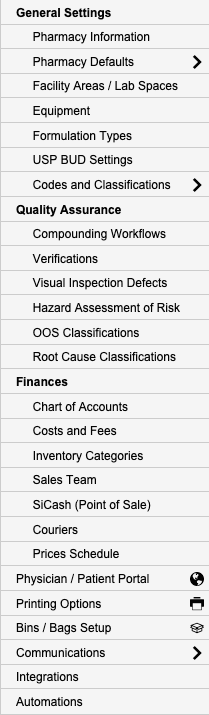
- Scroll below Communications, select Integrations (Email / SMS / IVR / Fax).
- Switch to the Email / SMS / IVR / Fax tab to view available integrations.
Available Communication Integrations
Email Server

Purpose: Configure SMTP server settings for pharmacy communication, including customer and patient notifications.
Setup Steps:
- Click Connect.
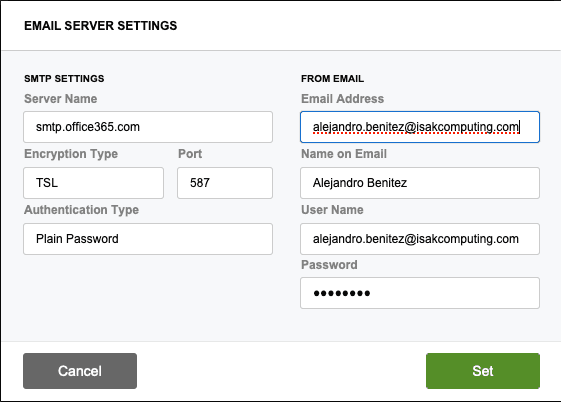
- Enter the following details:
- SMTP Settings: Server Name, Encryption Type, Port, and Authentication Type.
- Pharmacy Settings: Email Address, Name on Email, Username, and Password.
- Add a Confidentiality and Privacy Statement.
- Click Set to save the configuration.
Twilio

Purpose: Enhance patient communication and engagement through SMS and voice services.
Setup Steps:
- Click Setup.
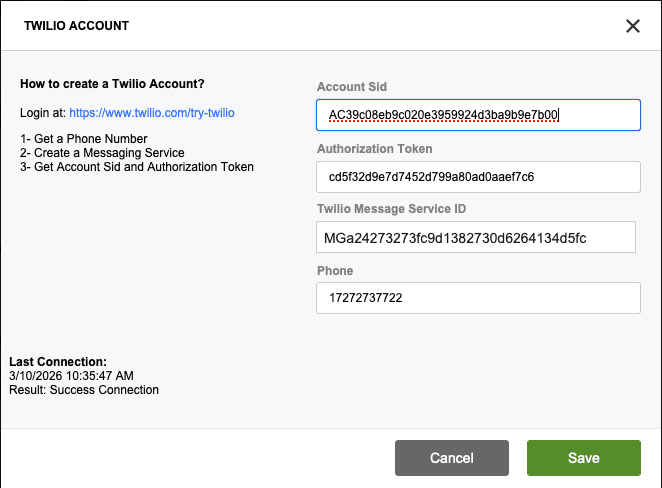
- Create a Twilio account at Twilio Signup.
- Obtain the following details:
- Account SID
- Authorization Token
- Twilio Messaging Service ID
- Phone Number
- Click Save to finalize the setup.
SMS Defaults
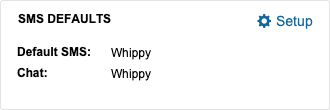
- Configure SMS Defaults:
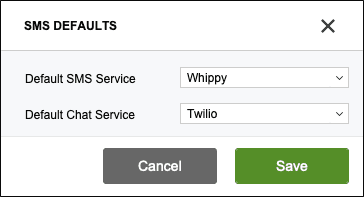
- Default Automation Service (dropdown)
- Default Chat Service (dropdown)
- Click Save to finalize the setup.
Vow's eFax

Purpose: HIPAA-compliant, cloud-based faxing solution for pharmacies.
Setup Steps:
- Click Connect.
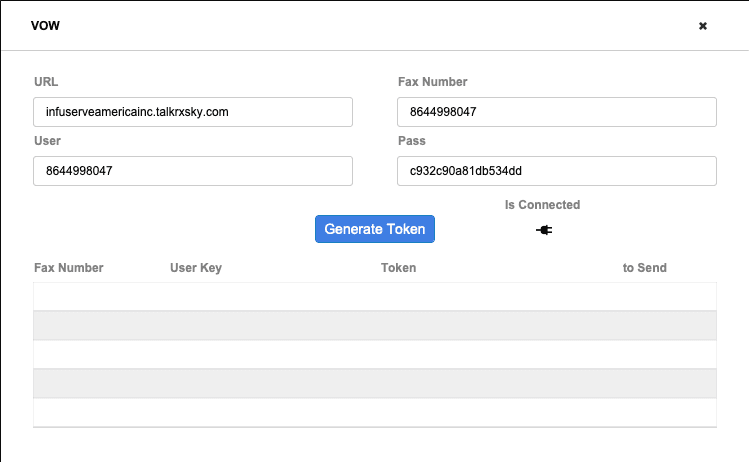
- Enter the following details:
- URL
- Fax Number
- Username
- Password
- Click Generate Token to authenticate.
- Test the integration and click X to close the setup window.
Vow TalkRx IVR

Purpose: Interactive Voice Response (IVR) services for pharmacies.
Setup Steps:
- Click Connect.
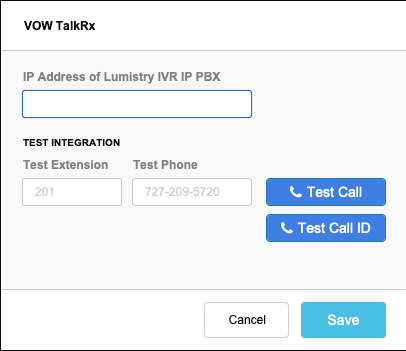
- Enter the following details:
- IP Address of Lumistry IVR IP PBX
- Test Extension (e.g., 201)
- Test Phone (e.g., 227-209-5720)
- Test the system using the Test Call or Test Call ID button.
- Click Save to complete the setup.
Sendgrid
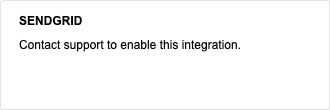
Purpose: Email communication platform for managing pharmacy notifications.
Setup Steps:
- Contact Sendgrid Support to enable this integration.
Whippy
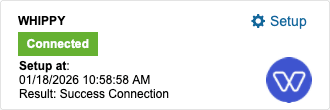
Purpose: All-in-one communication platform for managing calls, texts, and emails.
Setup Steps:
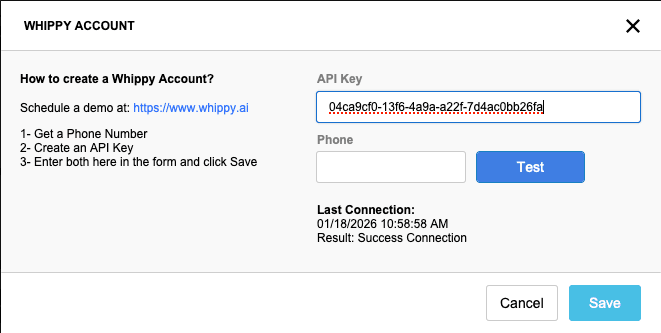
- Schedule a demo at Whippy.
- Create an API Key and obtain a phone number.
- Enter the API Key and Phone Number into the form.
- Click Save to finalize the setup.
- For additional setup, contact SiCompounding Support at
icsupport@isakcomputing.com.
Consensus eFax
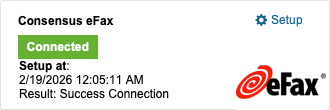
Purpose: HIPAA-compliant, cloud-based faxing solution for the pharmaceutical industry.
Setup Steps:
- Click Setup.
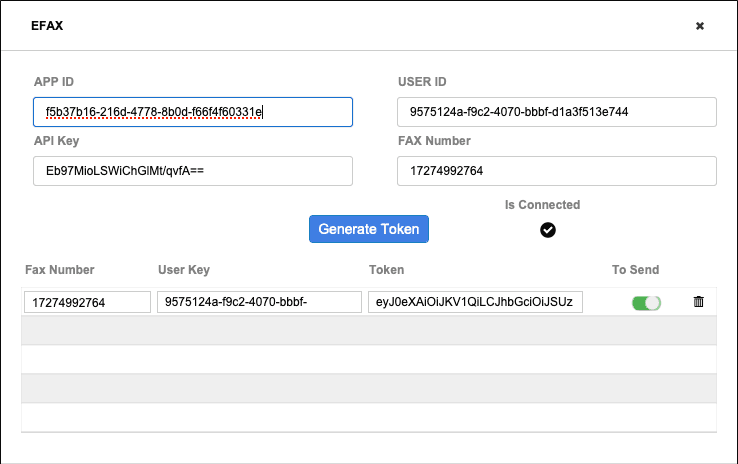
- Enter the following details:
- App ID
- User ID
- API Key
- Fax Number
- Click Generate Token to authenticate.
- Test the integration and click X to close the setup window.
Pharmacy Settings (System Foundation)
Pharmacy Settings provide the foundational templates and defaults required for system operation. These settings must be completed before using other areas of SiCompounding.
Best Practice: Enter all available and required data for each section and subsection to ensure proper system behavior, compliance, and reporting across SiCompounding.
This completes the guide for Email, SMS, IVR, and Fax Integrations in SiCompounding.