
CRM Integration Choices?
Step-by-step guide to configure CRM integrations in SiCompounding for enhanced customer relationship management.
Overview
The CRM Integrations section allows your pharmacy to connect SiCompounding with external CRM systems to streamline sales, marketing, and customer relationship management. Supported integrations include Atrium24 CRM, Salesforce, ODOO, and Hubspot.
Step-by-Step Instructions
Navigation Path
- Click the FileMaker Pro icon to open FileMaker.
- From the left-hand menu, click SiCompounding.
- In the main window, select Pharmacy to open the dashboard.
- From the blue sidebar, select Settings.
- Scroll below Communications, select Integrations (CRM).
- Switch to the CRM tab to view available integrations.
Available CRM Integrations
Atrium24 CRM
Purpose: Proprietary pharmacy sales and marketing software with data analytics, CRM, and custom-branded marketing for 30+ prescriber specialties.
Setup Steps:
- Click Edit.
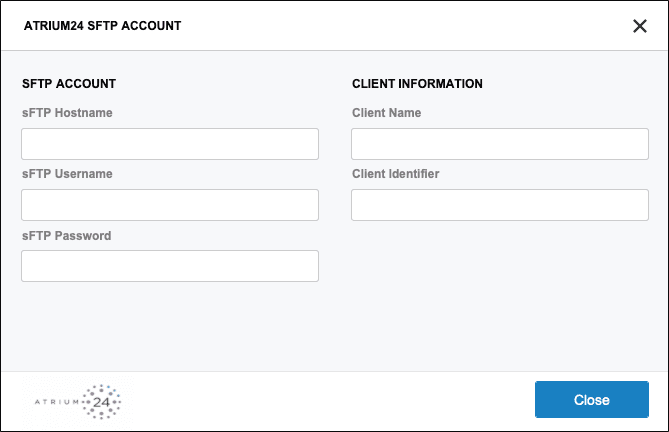
- Enter the following details:
- sFTP Hostname
- sFTP Username
- sFTP Password
- Client Name
- Client Secret Identifier
- Contact Atrium24 Support at
support@isakcomputing.comor727-209-5720for assistance.
Salesforce
Purpose: Comprehensive CRM solution for managing pharmaceutical operations, including research, development, and patient engagement.
Setup Steps:
- Click Setup.
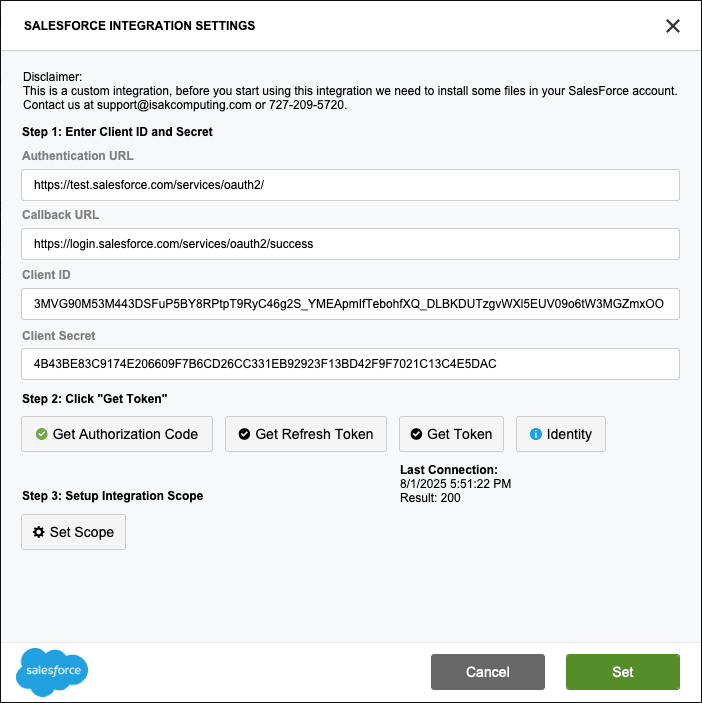
- Enter the following details:
- Authentication URL
- Callback URL
- Client ID
- Client Secret
- Obtain tokens:
- Click Get Token to retrieve the Authorization Code, Refresh Token, and Access Token.
- Confirm the flow when prompted.
- Configure integration scope:
- Use the Set Scope option (currently in development).
- Finalize the setup:
- Click Set when all steps are complete.
ODOO
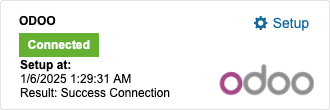
Purpose: Open-source suite of business applications, including CRM, sales, accounting, and manufacturing, tailored for pharmaceutical companies.
Setup Steps:
- Click Setup.
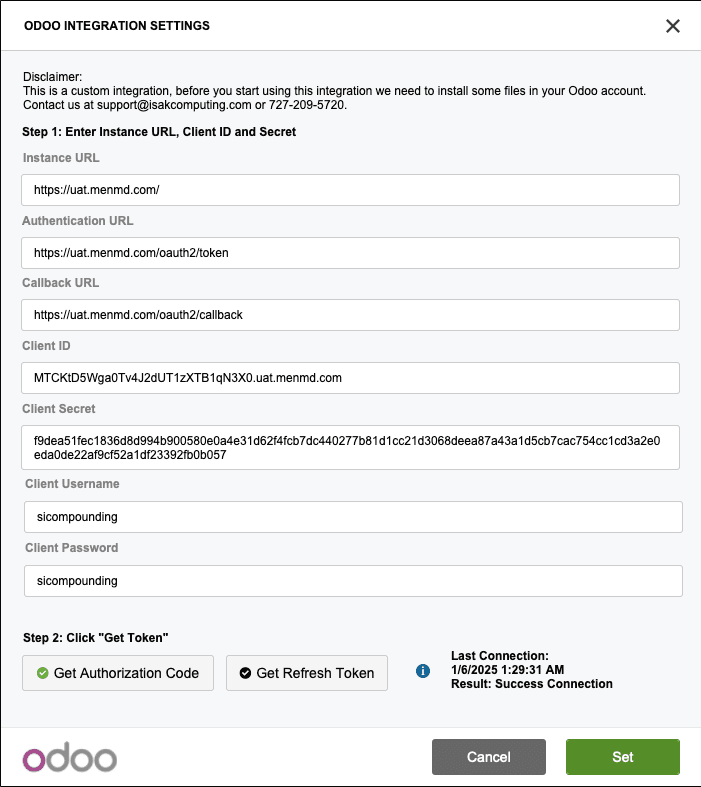
- Enter the following details:
- Instance URL
- Authentication URL
- Callback URL
- Client ID
- Client Secret
- Client Username
- Client Password
- Obtain tokens:
- Click Get Token to retrieve the Authorization Code, Refresh Token, and Access Token.
- Confirm the flow when prompted.
- Finalize the setup:
- Click Set when all steps are complete.
Hubspot

Purpose: CRM platform for managing customer relationships and marketing.
Setup Steps:
- Contact Hubspot Support to enable this integration.
Pharmacy Settings (System Foundation)
Pharmacy Settings provide the foundational templates and defaults required for system operation. These settings must be completed before using other areas of SiCompounding.
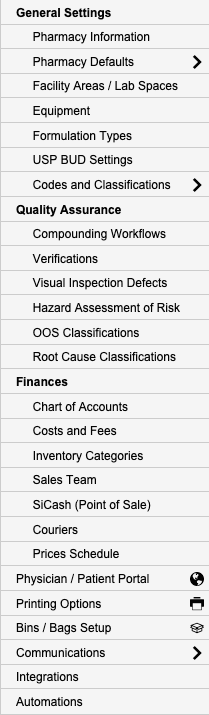
Best Practice: Enter all available and required data for each section and subsection to ensure proper system behavior, compliance, and reporting across SiCompounding.
This completes the guide for CRM Integrations in SiCompounding.