
Adding to the Veterinary Species List?
Step-by-step guide for adding and maintaining Veterinary Species in SiCompounding.
Overview
Veterinary Species are animal classifications used when adding patients or inventory items to SiCompounding. Species are regulated by the FDA and categorized as:
- Major Species: Dogs, cats, horses, cattle, pigs, chickens, turkeys
- Minor Species: Fish, ferrets, goats, and other animals
These classifications focus on disease treatment, prevention, and growth enhancement. Accurate species data supports patient records, inventory management, and regulatory compliance.
For detailed information about FDA animal drug approval processes, visit: FDA Animal Health Literacy
Step-by-Step Instructions
Navigation Path
- Click the FileMaker Pro icon on your computer to launch FileMaker.
- When FileMaker opens, locate the large menu bar on the left side of the window.
- Click SiCompounding (near the top of the menu).
- In the next window, several icons will appear across the middle of the screen.
- Click Pharmacy to open the Pharmacy Dashboard.
- From the blue sidebar menu on the left side:
- Scroll to the bottom.
- Select Settings.
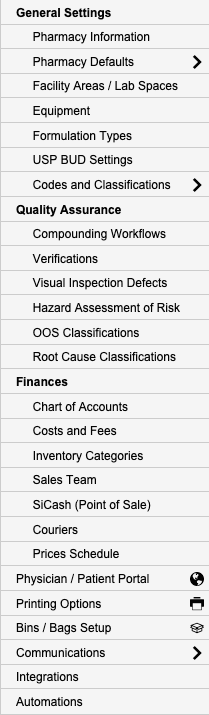
- Under General Settings, select Codes and Classifications.
- This section allows you to input and manage standard codes for prescription orders.
Select Veterinary Species
- From the popup list, select Veterinary Species.
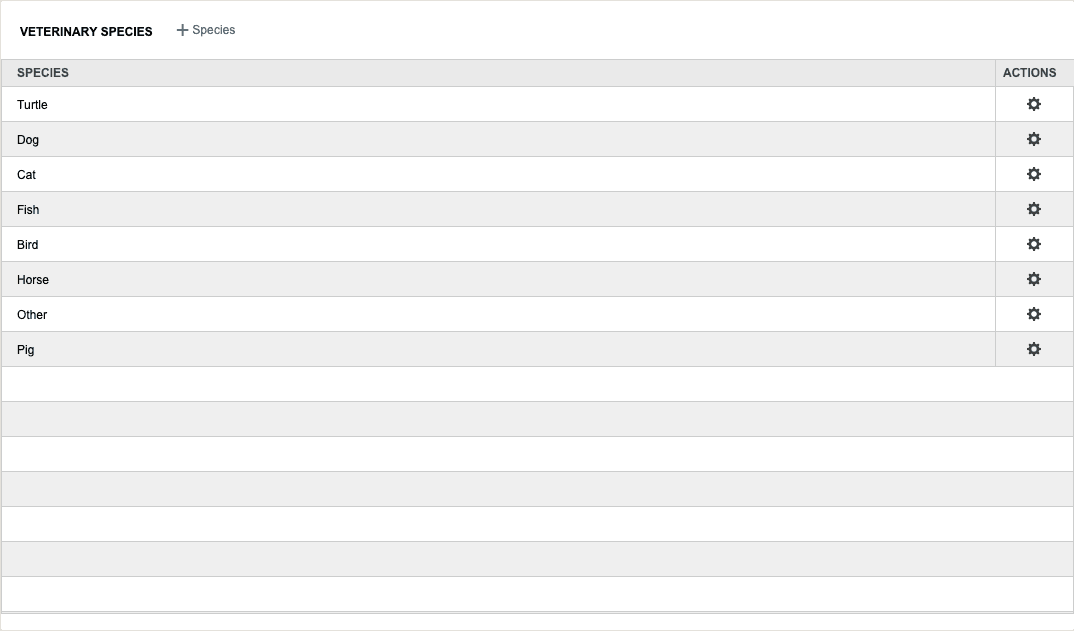
- The Veterinary Species window opens, displaying a list of all species currently maintained.
Veterinary Species Window Fields
The Veterinary Species window displays the following columns:
| Column | Description |
|---|---|
| Species | Name of a unique major or minor species |
| Action | Options for managing the species record |
Adding a New Veterinary Species
- Click the + Species button to create a new species entry.
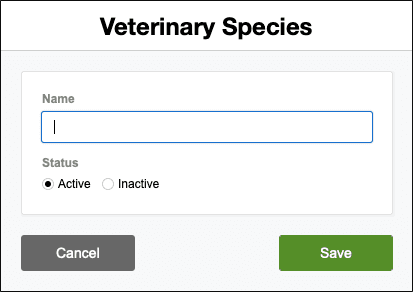
- The Veterinary Species window opens.
- Enter the species name and required information.
- Click Save to add the new species.
Editing an Existing Species
- In the Veterinary Species window, locate the species you wish to modify.
- Click the Action column to view options.
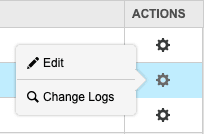
- Select Edit. The Veterinary Species window opens for that species.
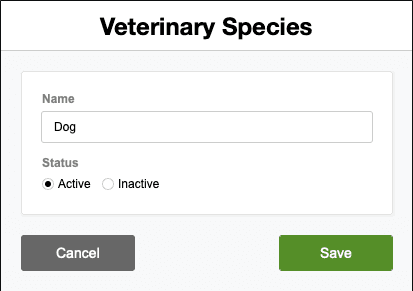
- Make modifications and click Save.
Viewing Change Logs
- Click the Action column for the species record you want to review.
- Select Change Logs.
- The Record Modification Log window opens and displays:
- Changes made to the species
- Date and time of modifications
- User who made the changes
- Click the X button in the upper right corner to close the window.
Pharmacy Settings (System Foundation)
Pharmacy Settings provide the foundational templates and defaults required for system operation. These settings must be completed before using other areas of SiCompounding.
Best Practice: Enter all available and required data for each section and subsection to ensure proper system behavior, compliance, and reporting across SiCompounding.
Summary
- Ensure all veterinary species used in your clinic are added before creating patient records or inventory items.
- Use standard naming conventions for species to avoid duplication (e.g., "Canis familiaris" for dogs, "Felis catus" for cats).
- Distinguish between major and minor species in your naming or documentation for regulatory compliance.
- Review change logs regularly to track modifications and maintain audit compliance.
- Keep the species list updated as your clinic expands to new animal types.
This completes the step-by-step guide for Adding and Maintaining Veterinary Species in SiCompounding.