
Patients
Search and Filter Patients?
Step-by-step instructions for searching and filtering patients in SiCompounding.
Overview
This guide explains how to search and filter patients in the Patients module of SiCompounding. You can locate patients by name, date of birth (DOB), phone number, or status (active/inactive).
Step-by-Step Instructions
1. Open SiCompounding
- Click the FileMaker Pro icon to open FileMaker.
- From the left menu bar, select SiCompounding.
- In the middle icons window, click Pharmacy to open the Dashboard.
2. Access Patients Module
- From the blue sidebar menu on the left, click Patients.
3. Search for a Patient
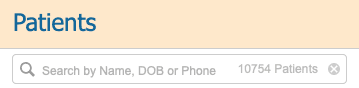
- Click into the Search bar (to the right of the magnifying glass icon).
- Enter the patient's Name, DOB, or Phone number.
- Press the Enter/Return key to display the search results.
4. Filter Patients by Status

- All: Displays all patients, including both active and inactive.
- Active: Displays only active patients.
- Inactive: Displays only inactive patients.
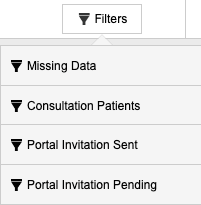
- Filters: Dropdown list to filter patients by various criteria.
This completes the step-by-step guide on:
How to Search and Filter Patients