
Getting started
How do I Open SiCompounding?
Step-by-step instructions for logging in and opening the SiCompounding system
Overview
This guide explains how to open SiCompounding from FileMaker Pro and navigate to the Pharmacy Dashboard. These steps cover logging in, selecting the correct module, and understanding the initial navigation layout you will see once inside the system.
Step-by-Step Instructions
Open FileMaker Pro
- Click the FileMaker Pro icon on your computer.
- In the next window, you will see several clickable icons.
- Click the K or System icon.
- A login window opens with two entry fields:
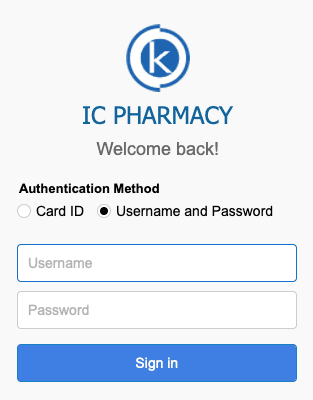
- Username
- Password
- Enter your username and password.
- After successful login, a new window opens allowing you to start the system.
- On the left side of the window, locate My Modules.
- Under My Modules, click SiCompounding.
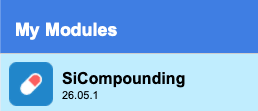
This opens the main SiCompounding window.
Stations and Tools
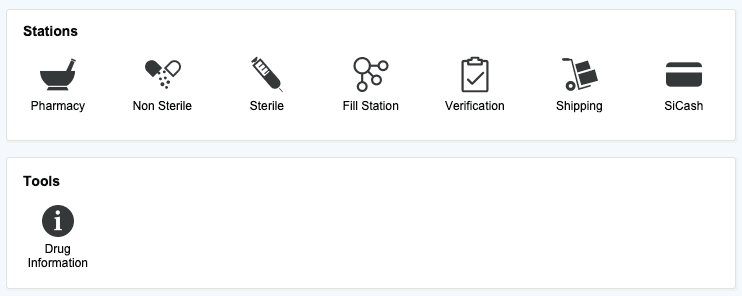
- Multiple icons are displayed under the Stations and Tools sections.
- These icons represent different functional areas within SiCompounding.
SiCompounding Today
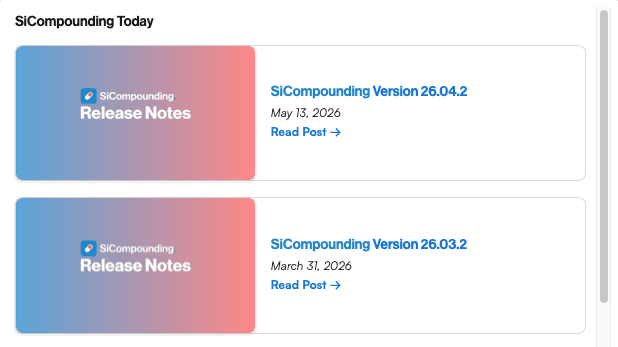
- The SiCompounding Today section provides:
- Updates on what is new in SiCompounding
- Important announcements
- Recommendations on how to get the most out of the SiCompounding platform
This area is designed to communicate timely and relevant information to users.
Opening the Pharmacy Dashboard
- Click the Pharmacy button.
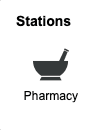 The SiCompounding Dashboard opens.
- From the Dashboard you can:
- Enter prescriptions
- Process refills
- Create purchase orders
- Access other pharmacy operational functions
Additional Navigation Notes
- Other icons in the SiCompounding window relate to additional areas specific to the pharmacy process for efficiency .
- These stations, like the Fill Station, Verification and Shipping are documented later in the stations area of the manual.
- The Tools section includes the Drug Information Tool, which provides access to drug information resources and is also covered in the manual.
Summary
Opening SiCompounding begins with launching FileMaker Pro, logging in, and selecting the SiCompounding module. From there, users access the Pharmacy Dashboard, which serves as the starting point for daily pharmacy operations.
This completes the step-by-step guide for How Do I Open SiCompounding.